Analytics for agencies
Cookieless analytics for agencies, one dashboard, every client.
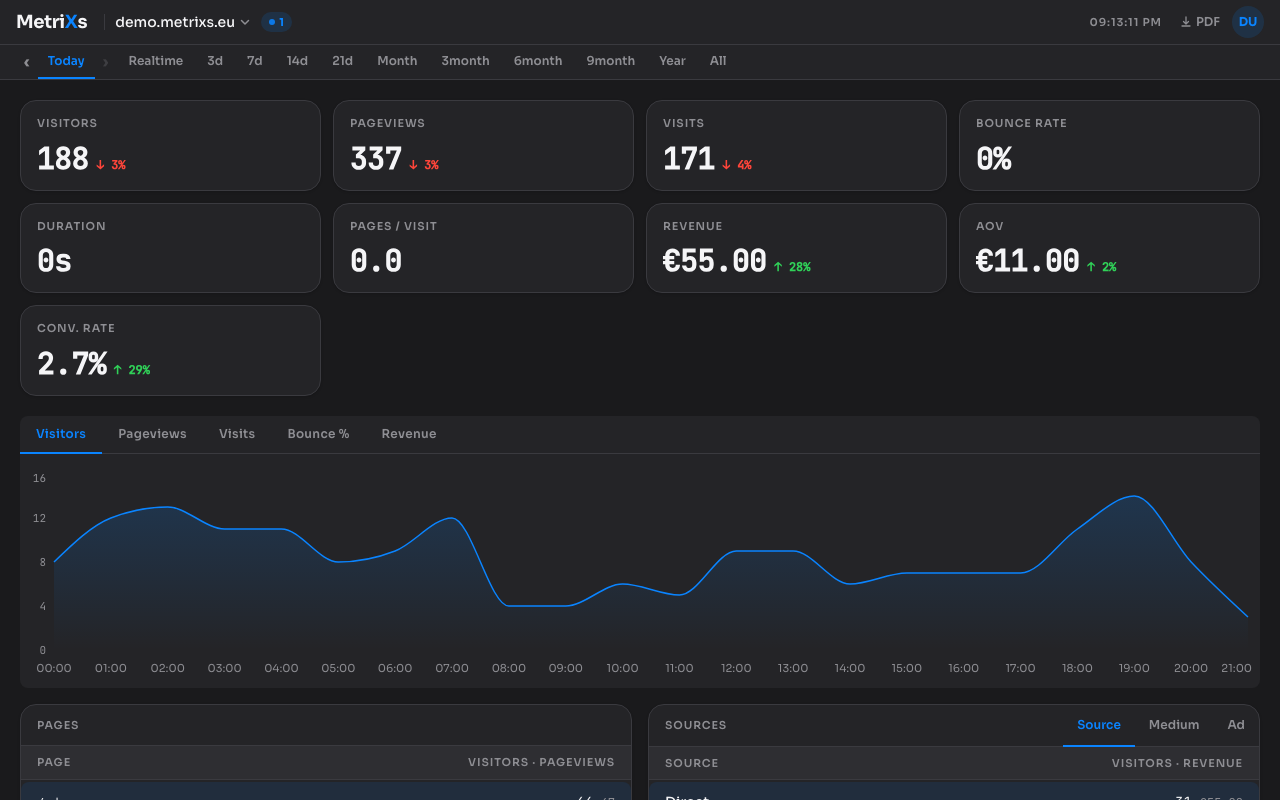
MetriXs for agencies puts every client site in one clean dashboard. Add up to 10, 25, or 50 websites, give each client their own read-only login to their own site, and put your own logo on the dashboards and PDF reports they see. No cookies, no consent banner, GDPR friendly by design, 100% hosted in the EU. Your clients see a dashboard you would be proud to hand over.
Why agencies run their clients on MetriXs
Managing client analytics usually means one of two compromises: log into each client’s own Google Analytics account (and hope they did not break the tracking), or juggle a spreadsheet of separate logins and exported reports. Both get worse with every client you add.
MetriXs flips it: one account, one dashboard, every client site in it. You see everything with full rights. Each client gets their own free read-only login that shows exactly their site and nothing else. And because MetriXs sets no cookies and stores no personal data, none of your client sites need a consent banner for analytics, which is one less thing your clients ask you about.
What the Agency plans include
Three flat tiers: Agency Small (up to 10 websites, 1M pageviews/month, €24), Agency Medium (up to 25 websites, 2.5M pageviews, €54), and Agency Large (up to 50 websites, 5M pageviews, €94). Monthly billing, 14-day free trial, no credit card required to start. Every tier carries the full MetriXs feature set on every site: PDF report export, GEO-readiness and SEO audits, the security audit, uptime monitoring, commerce metrics, and the MCP server.
Each website comes with up to three free read-only client seats. A client logs in and sees their own dashboard: their traffic, their audits, their PDF exports. They cannot change settings, add sites, or see any other client. You stay in control of everything.
White-labeling included: upload your agency logo and it replaces the MetriXs branding in your clients’ dashboards and in the header of every PDF report you export. Your dashboard, your brand.
MetriXs vs. running Google Analytics for clients
| MetriXs Agency | Google Analytics per client | |
|---|---|---|
| Logins for your portfolio | One account, all sites | One per client |
| Client access | Free read-only seat per site | Share your admin login |
| Your branding for clients | Logo on dashboards + PDFs | None |
| Cookie banner on client sites | Not needed | Required in the EU/UK |
| Client confusion | One clean dashboard | GA4 interface |
| Data location | EU (Germany) | US by default |
| Billing | Flat monthly tier | Free, but managed account-by-account |
| PDF client reports | Built in, branded | Manual exports |
Built for the way agencies work
One login for the whole portfolio
Every client site lives in one dashboard with a site switcher and an All sites aggregate. No separate accounts, no password spreadsheet, no "can you send me access" emails.
Free client access on every site
Up to three read-only seats per site, included in the plan. Each client sees only their own domain, their audits, and their PDF reports. Revoking a seat cuts access on the next request.
Your brand, not ours
Upload your logo once and clients see it in their dashboard and on the PDF reports they receive. The client relationship stays yours.
No cookie banner on client sites
MetriXs is cookieless by design, so client sites need no consent banner for analytics and no consent-management platform. GDPR friendly, hosted in Germany.
How agencies set up MetriXs
From account to first client site takes about five minutes. Adding each next client takes two.
01
Create your agency account
Sign up at app.metrixs.eu and pick an Agency tier. The 14-day trial starts immediately, no credit card. No website needed yet: agencies start with the account and add client sites whenever.
02
Add a client site
Add the client’s domain and paste the snippet (or install the WordPress/Grav/PrestaShop/Craft plugin and let it verify automatically). The site appears in your dashboard in minutes.
03
Invite the client
In Settings → Team, invite a customer seat bound to that site. The client registers with their own email and gets read-only access to exactly that domain. Up to three seats per site.
04
Brand it and automate
Upload your agency logo in Settings → Team. Clients see your brand in their dashboard and on the PDF reports they can download themselves. Set up weekly digest emails per team for hands-off reporting.
What about other agency analytics options?
The common alternatives are per-client Google Analytics logins, or privacy tools that charge per site or per pageview tier, which gets expensive as the portfolio grows. MetriXs Agency plans are flat: the tier price covers every site on it, with up to 12 staff members and free client seats included (up to 3 per site). All data stays in the EU.
Put every client in one dashboard
Start the 14-day Agency trial, add your first client site in minutes, and hand them their own login. No credit card, no cookie banner, no per-site fees.
Start free trial →Frequently asked questions
- How much does the Agency plan cost?
- Three flat monthly tiers: Agency Small at €24/month for up to 10 websites (1M pageviews/month), Agency Medium at €54 for up to 25 websites (2.5M pageviews), and Agency Large at €94 for up to 50 websites (5M pageviews). Prices exclude VAT. Every tier includes all features on every site. Monthly billing with a 14-day free trial.
- How does client access work?
- Each client gets their own free read-only login bound to exactly one site. They see their dashboard, their audits, and can download PDF reports for their domain. They cannot change settings, add sites, or see any other client’s data. You can attach up to three client seats per site and revoke them at any time.
- Can I use my own branding?
- Yes. Upload your agency logo in Settings → Team and it replaces the MetriXs branding in your clients’ dashboards and on the PDF reports. A transparent PNG around 256×64px works best (it renders at 28px height, and the dashboard defaults to dark mode).
- Do my client sites need a cookie banner for MetriXs?
- No. MetriXs sets no cookies and stores no personal data or persistent identifiers, so no consent is required under the ePrivacy Directive and GDPR cookie rules. That removes the consent-banner conversation from every client project.
- What happens when I add or remove clients?
- Add sites freely within your tier’s cap (10, 25, or 50). If you outgrow the tier, you upgrade in two clicks from the billing page; sites and data carry over. Removing a client deletes their site and its data. If a client needs access after they leave your retainer, you can keep the site running on a regular plan instead.
- Can I migrate client data from another tool?
- Historical imports are not available in v1. New sites start collecting from the moment the tracker is live, and stats start date is recorded per site, so the dashboard is honest about what it has. Retention goes back 24 months on every Agency tier.